![Default-logo-1.svg]](https://support.norkon.net/hubfs/Default-logo-1.svg)
Abstract
Use this API to publish directly to a Norkon Pulse page and other pages powered by the Live Center. Also including is how to delete published content.
General Information
This document tells you how to publish and delete posts/bulletins of the Live Center through an external CMS/publishing solution.
API Key
The API Key is set by the user through the UI of the Live Center.
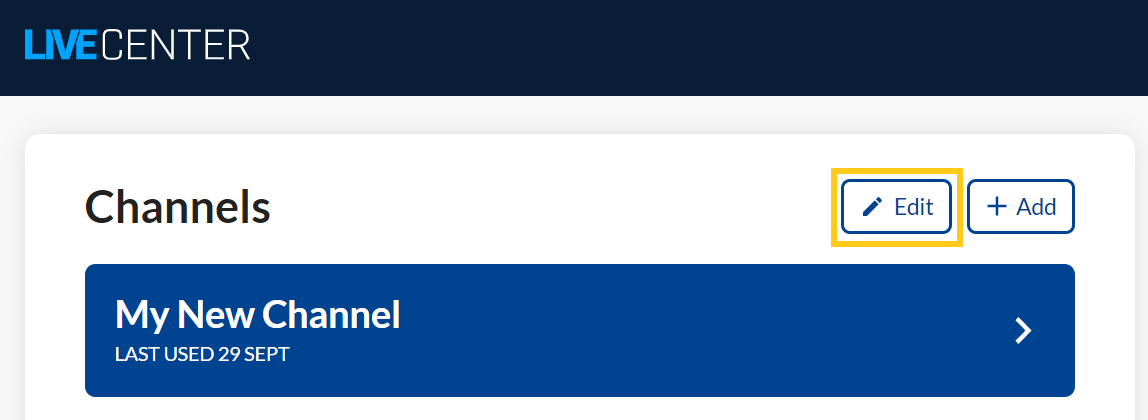
While logged in to the Live Center go to the Publishing Suite and click the Edit- pencil icon.
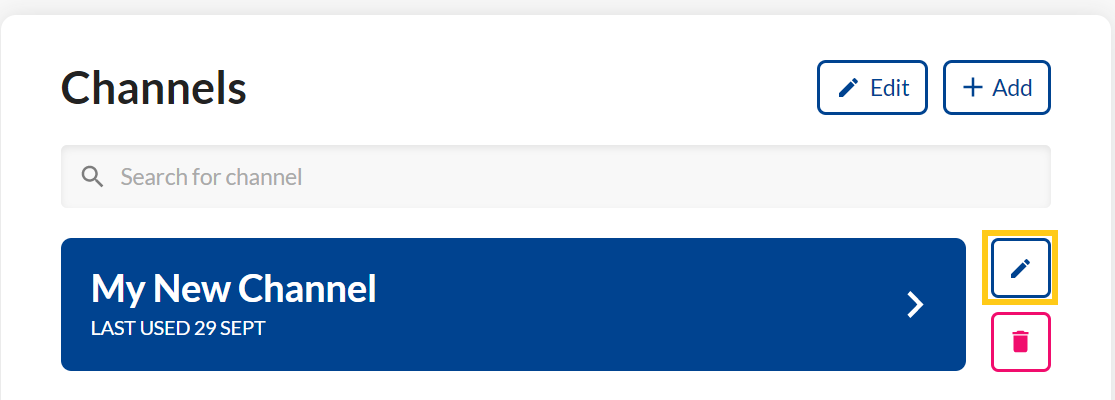
Then click the pencil-icon for the specific channel you would want to edit.
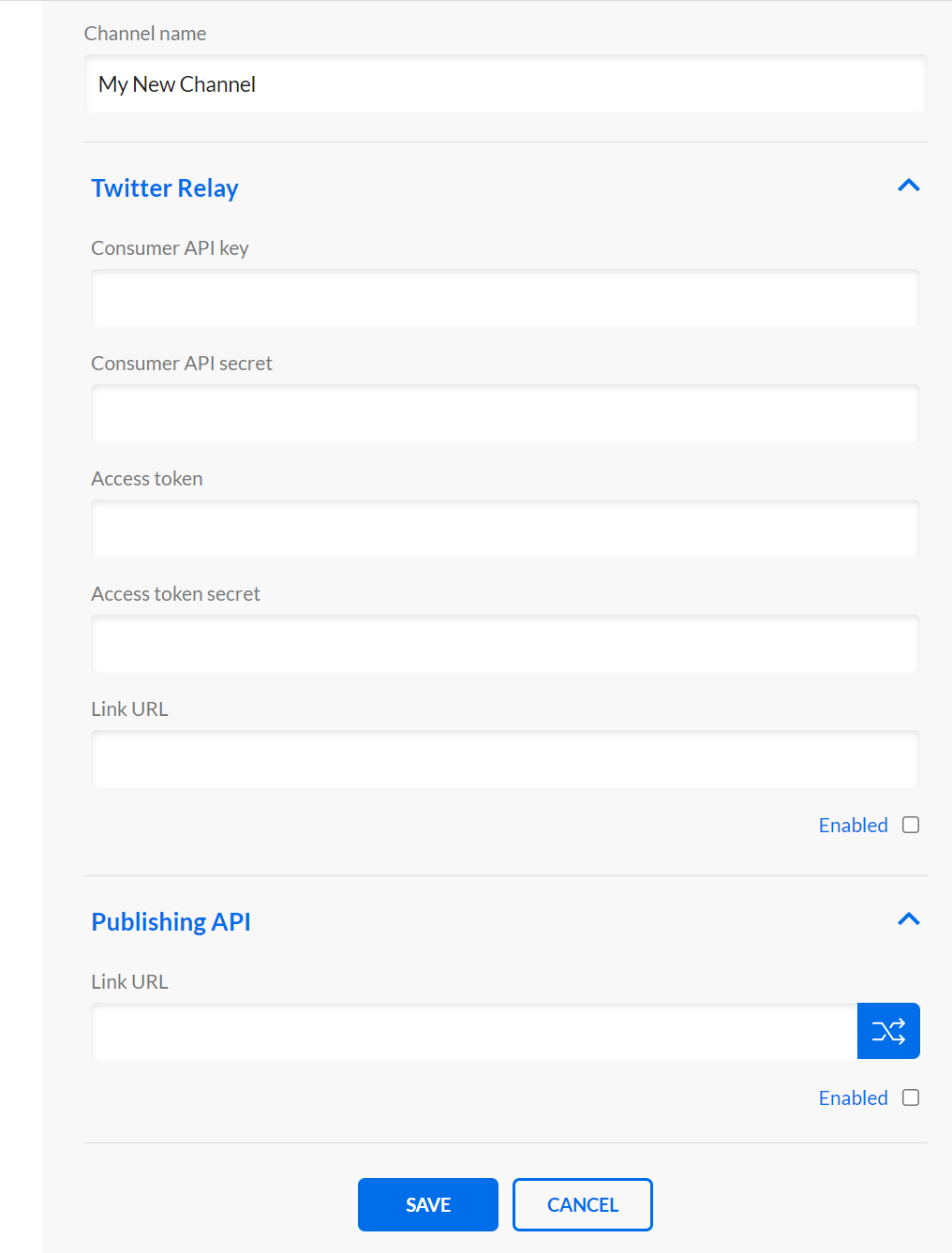
Various input fields and options will be presented. Under Publish API is the input field for setting and editing the API Key. Also make sure to hook the "Enabled" checkbox before saving.
Publish
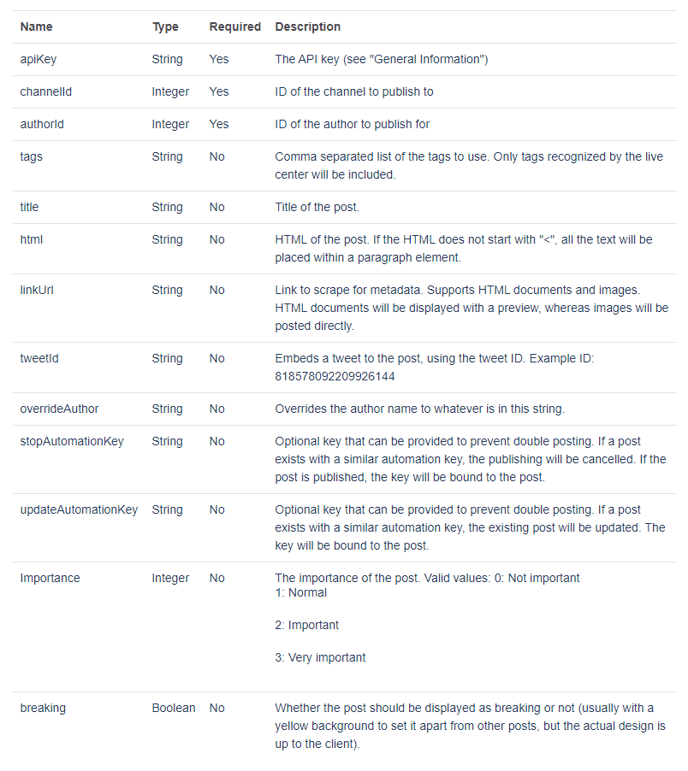
POST Arguments
Response Object
Delete
POST Arguments
Response Object